Cemex
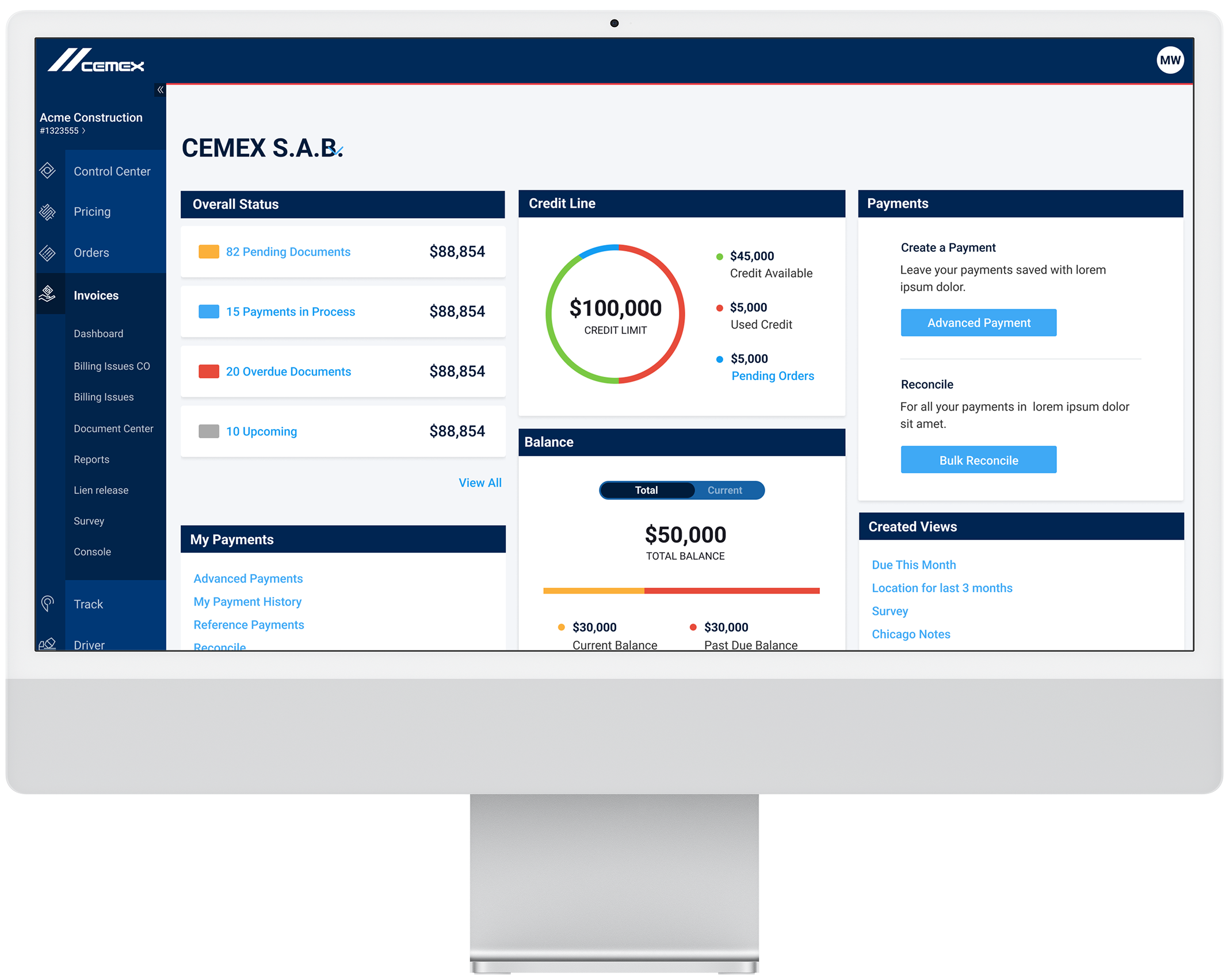
Cemex — one of the world’s largest cement companies based in Mexico — wanted to freshen up their customer facing web application with the help of IBM iX. This application had to allow a user to order, track shipments, schedule shipments, and pay invoices. My contribution to this 5 month intensive project was to create the Invoicing & Payment functionality. ¡Muy fantastico diseñado producto!
This is a pretty old project but ya know, I’m proud of my humble beginnings.
How can Cemex create a simplified B2B platform that will accommodate multiple users types across the globe and bring in new clients?
Usability GoalsDesigned for a global user base — from enterprise giants like Home Depot to local “mom and pop” shops, this interface prioritizes simplicity. The clean, intuitive design allows users of all technical levels to manage preferences and complete tasks with maximum efficiency.
Business GoalsEliminate the complex payment & disputes process. Previous system was built on using old SAP functionality. The previous application hosted too much unnecessary information for users to get exactly what they needed to know.
Predicted OutcomeProduce a “all-in-one” system that surfaces critical data upfront, offering tailored workflows for buyers of all scales. By consolidating order tracking, billing, and dispute management into a single platform, we gave clients total control and eliminated the need for multiple programs.

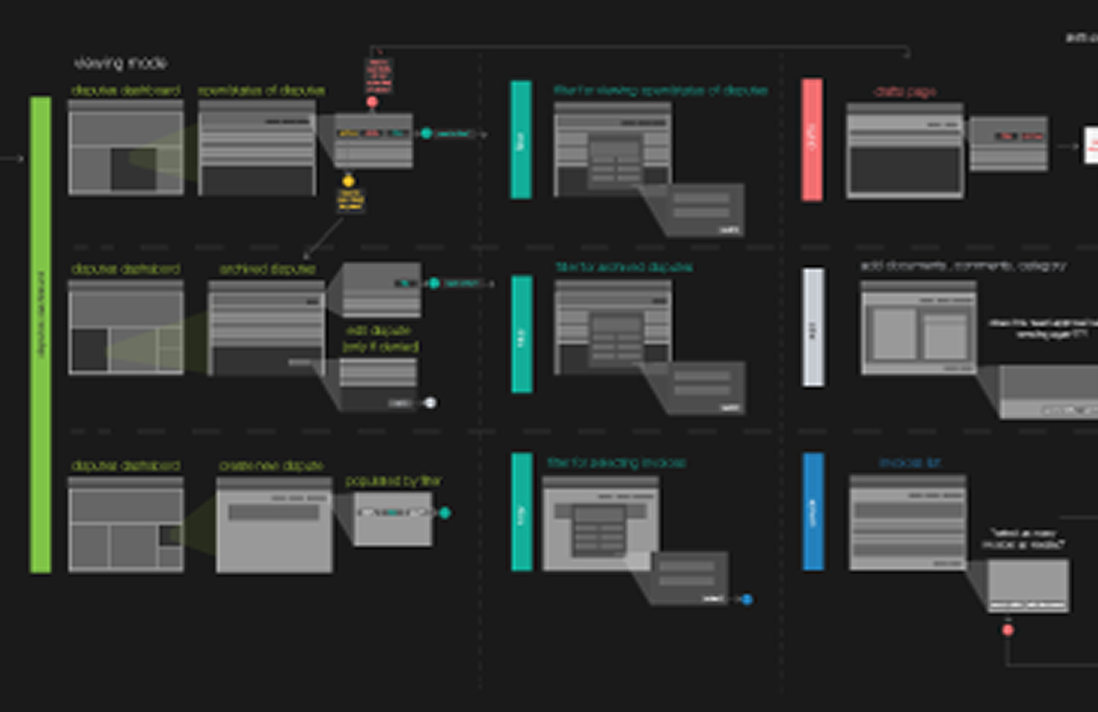
These user flows were based on very early stages of the overall invoicing part of the program. This was before payments was included in the decision making. Here I focused on how a user would dive into viewing invoices, any disputes and confirming payments of invoices.
Wireframes were apart of the process in discovering how to process user flows, so wires were used as key parts in the flows. Wires created were focused on a broader overview of how invoices would work without payments before combining the two categories together. In this process, I took user requirements from our stakeholders/BAs to understand what was needed first. As more requirements filtered through, hi-fi designs were changed versus existing wires.
Before starting design work, I mapped out the journey states of disputes and invoices flows, including scenarios like how to file a dispute, checking up on statuses of disputes, filing a invoice, paying an invoice and setting up a bank account to pay invoices.
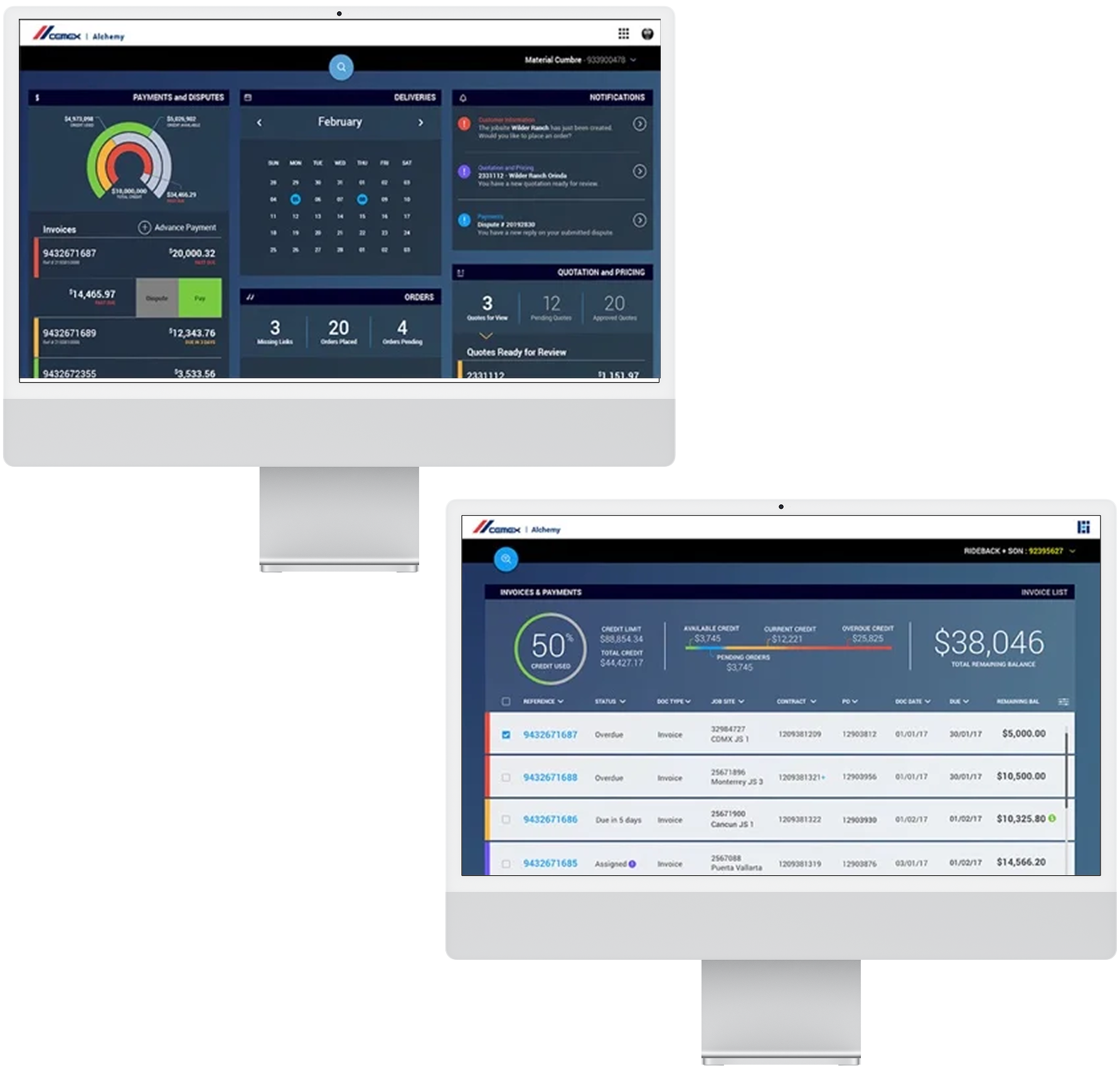
These designs were the earliest versions of the product. In earlier requirements, Cemex wanted an overall dashboard for users that detailed all processes of the product from ordering to shipments. In these early designs, the UX functionally was a bit on the rough side. Some screens such as using a modal to process through disputes and payments wasn’t ideal for the end user and I needed to solve if a new page would be beneficial instead of a modal. Visual design was also important in bringing the Cemex brand voice to come alive.
Invoices were meant to showcase items a company purchased. A list was created to show things like upcoming payment, overdue, prepay and pause. User can filter by due date, location, invoice number and document type.
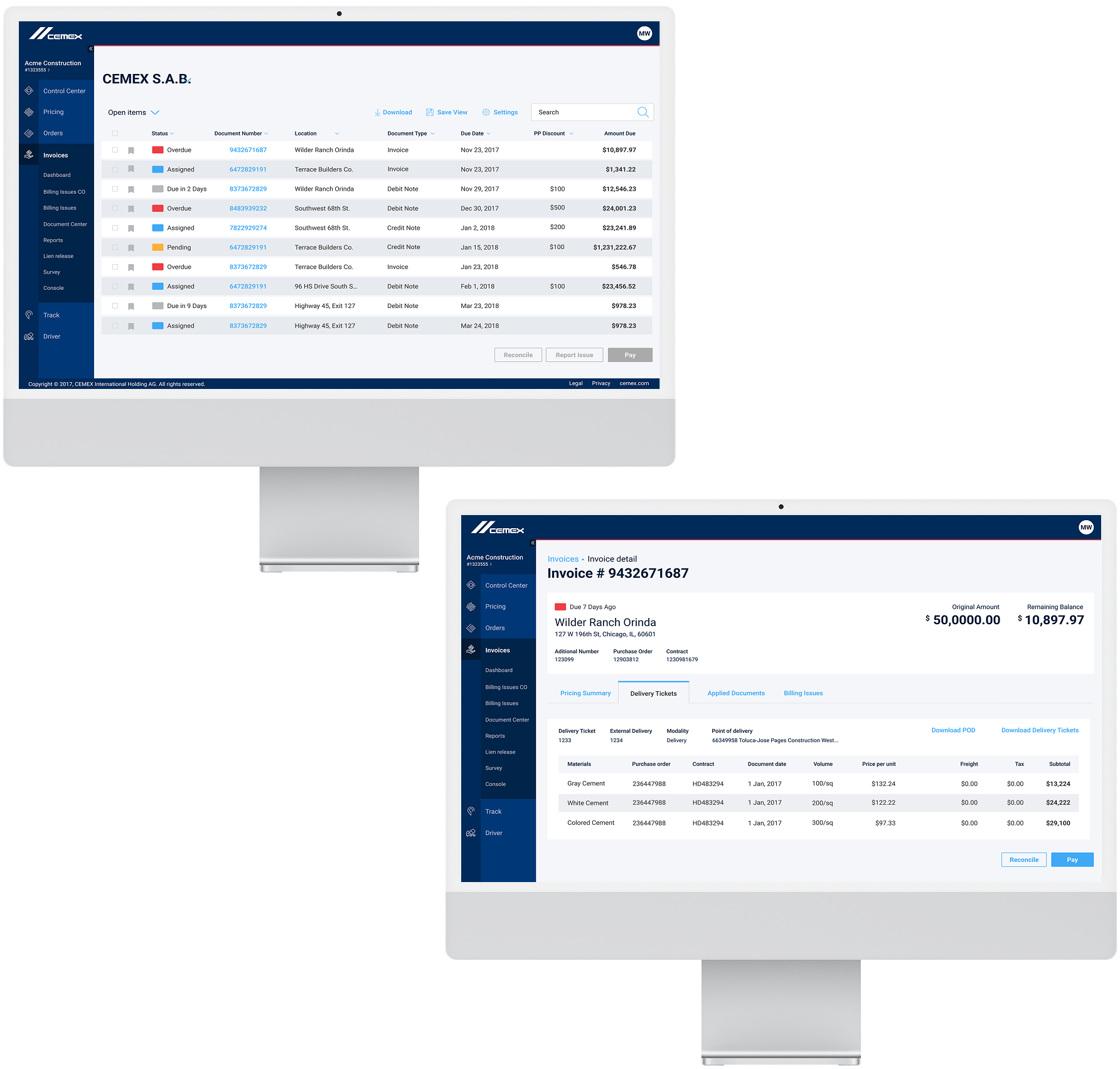
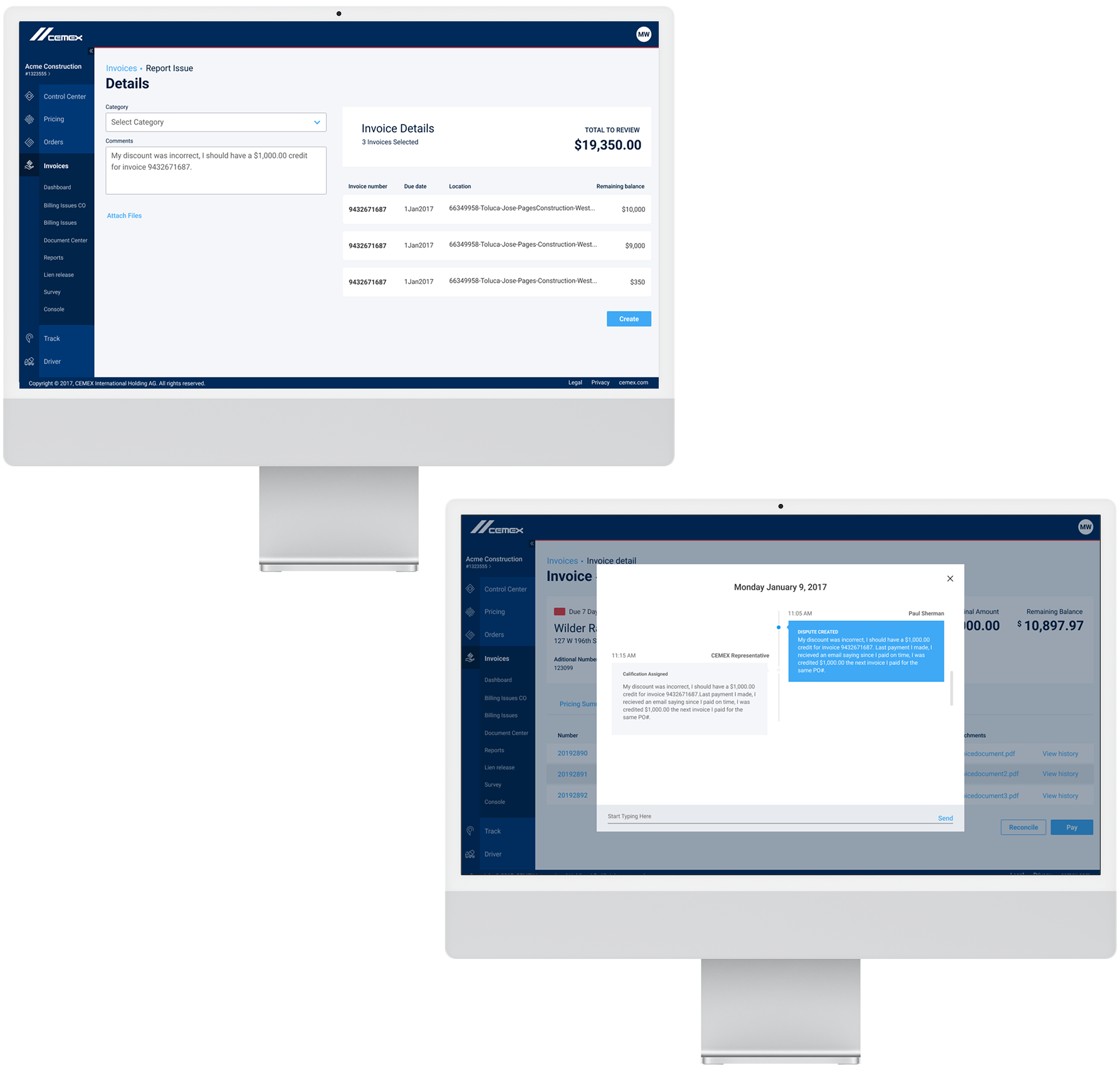
Disputes were a feature built in where if a company noticed a billing issues by Cemex or already made a payment that was documented in the system.
A user could file a dispute directly from the invoice view where it opened a page that asked for reasons of dispute. From there, a dispute was created that opened a chat where you spoke with a live agent and could track the status of the dispute through the chat as well as through the invoice view.
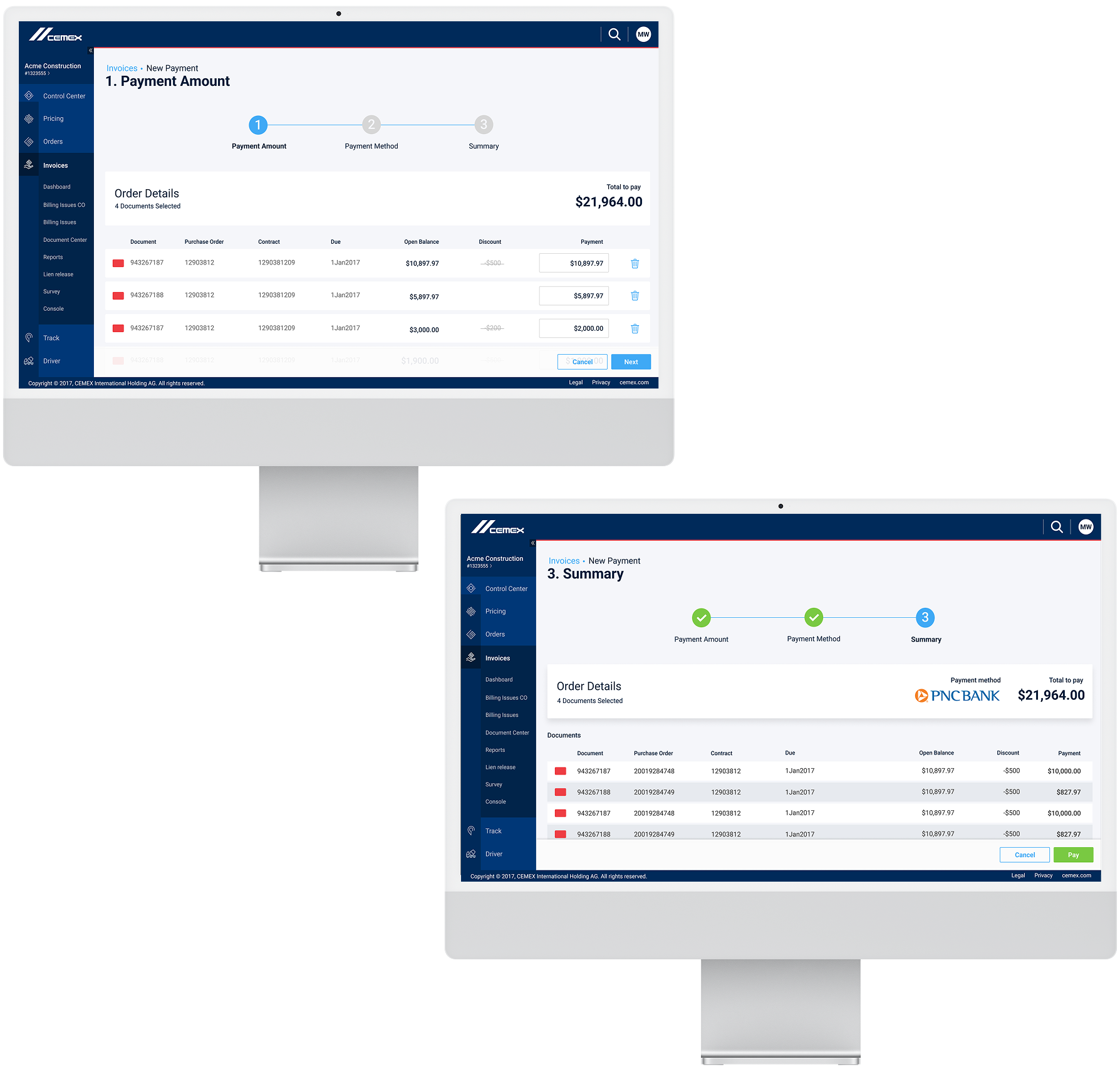
The payments portal was linked to the invoices view. From here, a user could make payments to their invoices, set up a payment plan, auto-pay on invoices, pay multiple invoices at a time and connect bank account(s).
A process was set up with a progress bar with the end screen being a review summary of the payment a user would submit.
Cemex Go was launched in Summer 2017 to all current global Cemex clients.
Cementing progress for the futureClients gave high praise to the product as being easy to use and efficient for their busy work days.
I see it, I like it, I want it, I got itCemex Go allowed international clients order, ship, track and pay orders all in one system. This product also helped communication amongst client internal teams to ground workers.
Workin’ on working design updatesIn the final designs, a lot was changed. The UI had a complete re-haul based on user testing and updated Design System to work off of. Easy filters allow user to search for criteria faster. Process of payment was tied into viewing payments. Easier to view invoices, check status on disputes and seamless way to pay invoices.